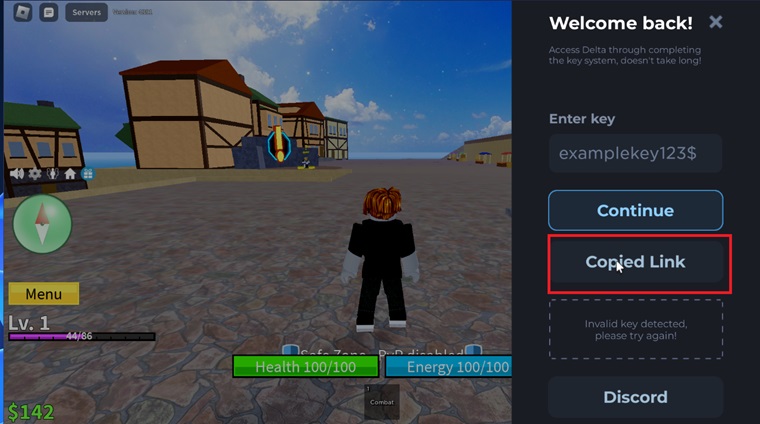
Step-by-Step: Getting Your Delta Key
- Make sure you have the newest version installed from our Delta Executor APK download page.
- Open Delta Executor and join any Roblox game.
- Wait for the Delta menu popup to appear on screen, then tap Receive Key. This copies your personal verification link to your clipboard.
- Open Chrome or your default mobile browser, paste the link into the address bar, and load the page.
- Complete the on-screen verification steps until your key is generated, then tap Copy Key.
- Return to Delta Executor, paste the key into the input box, and tap Continue.
Key Not Working? Quick Fixes
- Outdated APK: Old builds often fail key checks. Update from freetools.one/delta.
- Extra spaces: Make sure there are no leading or trailing spaces when pasting your key.
- Device clock: Set your Android date & time to Automatic in Settings so key tokens validate properly.